


Jigsaw Puzzles - Puzzle Games
4.8107.03K Reviews
App Specs
- Version
- 4.10.0
- Updated On
- License
- Free
- Downloads
- 100,000,000+
- Developer
- Easybrain
- Categories
- Puzzle
- Platform
- Android, iOS
Screenshots
 Analysis by AppCompare
I like puzzle games that ask for a little attention without turning a spare moment into a project. Jigsaw Puzzles - Puzzle Games fits that mood: it’s a free puzzle game from Easybrain, rated for Everyone, and its basic appeal is easy to understand. I can open it when I want a calm activity, work on an image at my own pace, and stop when I’m ready. The bigger question is whether that simple loop still feels worthwhile once the first-week novelty wears off.
Why the first week feels inviting
The opening appeal of a digital jigsaw is convenience. There’s no table to clear, no loose pieces to keep away from a pet or a curious child, and no need to leave a puzzle spread out between sessions. That makes this a practical choice for a commute, a quiet lunch break, or a few minutes on the sofa. I’d especially recommend it to someone who likes the visual search of a jigsaw but doesn’t always have the time or space for a physical one.
What helps the early sessions feel approachable is the familiar rhythm: scan the picture, look for a color or edge that stands out, then test pieces until the image begins to come together. The touch controls keep the focus on that process rather than on learning a complicated interface. If you’re new to digital puzzles, I’d start with a picture that has clear color regions and recognizable objects. That gives you natural landmarks and makes the first session feel less like searching through a pile of similar fragments.
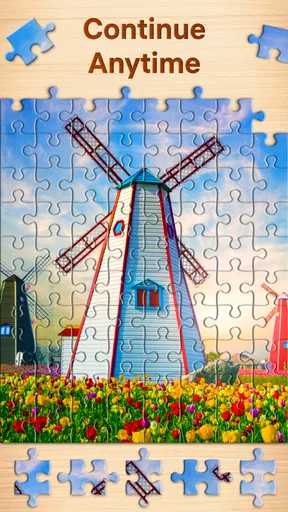
It’s also useful to think about when you’ll play. A short session works best when you choose a puzzle you can comfortably leave unfinished; the attraction here is that a jigsaw can be resumed as a leisurely pastime rather than treated like a timed task. For a realistic everyday routine, I can see myself opening it after dinner, completing a small portion while winding down, and putting the phone away without needing to finish the whole image.
Does it earn a place in the monthly routine?
The long-term value of this kind of game comes less from a dramatic change in its basic activity and more from having enough variety to match different moods. Some days I want a straightforward image that I can solve while listening to something else; on other days I’d rather choose a more involved picture and give it my full attention. A library of jigsaw images can support both habits, but the game is still best suited to people who genuinely enjoy sorting visual details. If that particular satisfaction isn’t there for you, more levels alone probably won’t change your mind.
Compared with a physical puzzle, the phone version wins on portability and tidiness, but loses the tactile feel of handling real pieces and the satisfaction of seeing a finished image on a table. Compared with a quick match-three or word game, it asks for steadier visual focus and tends to feel calmer, though it may be less convenient when you only have a few seconds to spare. I’d choose this over those alternatives when I want to settle into one image, not when I’m looking for rapid rounds or a strong competitive challenge.
There’s a useful trade-off in how you approach a puzzle, too. Rather than dragging pieces at random, I find it more satisfying to group attention around a distinctive feature—a patch of sky, a bright object, or a strong boundary between colors—and build outward from there. On a small screen, zooming in can make detail easier to judge, while zooming back out helps me check whether a piece belongs in the larger composition. That simple switch between close inspection and a wider view is a good way to avoid getting stuck.
Worth Reading Before You Choose

Baby Panda World Brings Quick Play to Modern Phones, but Its Game Library Feels Busy

ESPN’s Live Game View Makes Following Close Games Easier

QuizzLand Review: A Good Fit for Short Trivia Breaks, Not Every Player

Basketball Stars: Multiplayer Is Fast, but Can It Recover When Matches Go Wrong?

WEBTOON Turns Phone Updates Into a Better Reading Routine

Link to Windows Runs on Shared Habits, Not Social Feeds
What can become tiring
Digital jigsaws are not a perfect substitute for every puzzler. A touchscreen can make tiny pieces feel fiddly, especially if you’re playing on a compact phone or have limited patience for precise dragging. The same convenience that makes the game easy to pick up can also make it easy to lose track of time, so I’d treat it as a deliberate break rather than an activity to keep open whenever I’m trying to concentrate on something else.
Image choice matters more than it might seem. A picture with broad, distinct colors gives the eye useful clues; a scene filled with similar textures can make progress slower and more repetitive. That isn’t necessarily a flaw—some people enjoy a tougher visual search—but it’s worth choosing according to your mood. If a puzzle starts to feel like tedious pixel-hunting, I’d switch to a more clearly composed image instead of forcing myself through it.
There can also be a mismatch between what a player wants and what a jigsaw offers. If you’re looking for a story, a sense of progression through different mechanics, or lively head-to-head play, this is unlikely to be as satisfying as a puzzle adventure or a competitive game. Its strongest use is quieter: focused, flexible image-solving. I’d skip it if the act of repeatedly comparing shapes and colors already sounds like work to you.
Keeping the habit easy, not demanding
For me, the best way to keep a casual puzzle game enjoyable is to avoid turning it into homework. I’d pick a session length that suits the day, choose a picture with a difficulty that feels inviting, and stop once I’m no longer enjoying the search. If I’m playing in short bursts, I’d favor a puzzle with obvious visual landmarks so I can regain my place quickly. If I have a calmer stretch of time, a more detailed image makes sense because I can stay with it long enough to notice progress.
That approach also helps answer a practical question: is it suitable for playing offline? The game’s store summary says it can be enjoyed offline, which makes it appealing for travel or places where a connection is unreliable. I’d still plan ahead by opening the game and getting the puzzle I want ready before going offline, rather than assuming every part of the experience will behave identically without a connection.
Another question is whether it costs anything to start. It is free to download, with optional in-app purchases listed from $0.99 to $14.99 per item. That makes it possible to try the core idea before deciding whether spending anything makes sense. I’d keep purchases separate from the enjoyment of solving: if the available play already fits your routine, there’s no need to buy something simply to justify keeping the game.
The Puzzle Wonderland
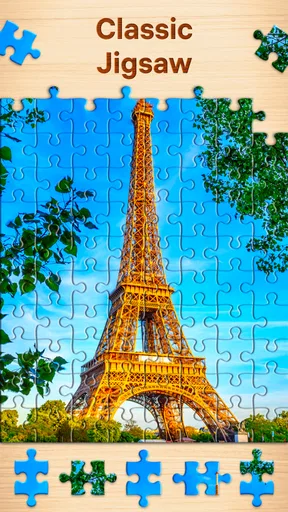
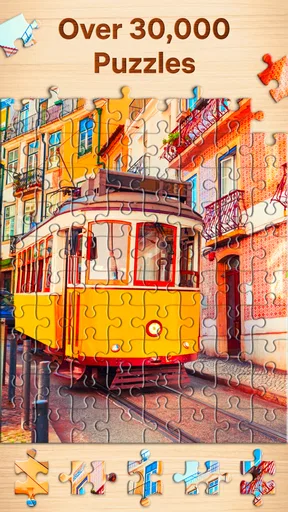
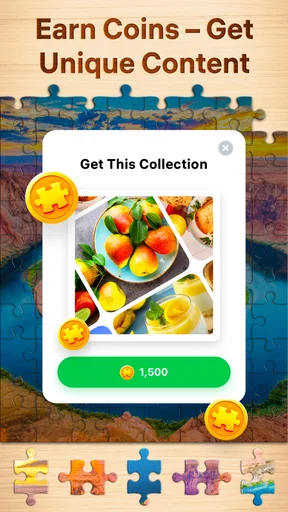
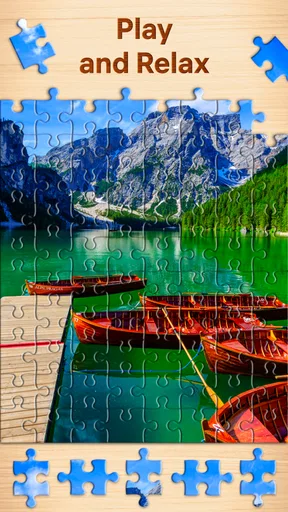
When I first opened Jigsaw Puzzles - Puzzle Games, I was immediately drawn in by its vast library of puzzles. We're talking thousands of options here, from stunning landscapes to adorable animals, and everything in between. The app makes it incredibly easy to browse through categories and pick your next challenge. There’s something for everyone, whether you're a seasoned puzzler or just looking to kill some time.
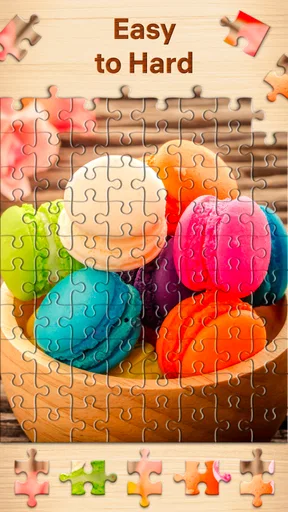
One of the features that stood out to me was the ability to adjust the difficulty by changing the number of pieces. You can go from a quick 100-piece puzzle to a mind-boggling 1000-piece one. It's perfect for those days when you want a quick brain teaser or when you're in the mood for a more intense puzzle session. I personally love starting with a simple one and gradually upping the ante as I get into the groove.
Smooth and Intuitive Gameplay
The folks behind this app clearly understand how to make the experience user-friendly. The interface is clean, and the controls are intuitive. You simply drag and drop pieces into place, and there’s a satisfying snap when they fit together. Trust me, it’s as addictive as it sounds.
Another cool thing is the ability to zoom in and out with a simple pinch gesture. This makes handling those tiny, intricate pieces a breeze on smaller screens. Plus, the rotation feature lets you tackle more complex challenges where you need to rotate pieces to fit them into place. It's a subtle inclusion, but it adds a whole new layer of complexity and satisfaction.
Custom Puzzles and Personal Touches
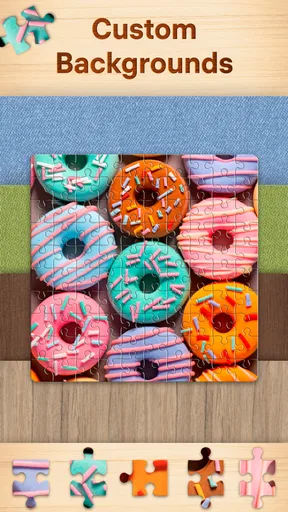
Now, here’s where things get really interesting. Jigsaw Puzzles - Puzzle Games allows you to create puzzles from your own photos. Imagine turning your favorite vacation snapshots or family pictures into a custom puzzle. It's a fantastic way to personalize your puzzle experience and relive cherished memories in a completely new way.
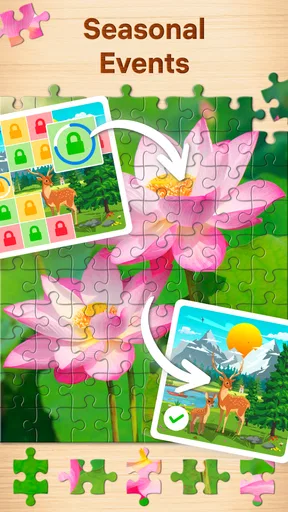
The app also includes daily puzzles, which I find to be a great way to start the day. These daily challenges often feature seasonal themes or special events, keeping things fresh and exciting. Plus, completing them can earn you rewards, which is always a nice bonus.
The Social Puzzle Scene
For those who love a bit of friendly competition, the app offers a social aspect where you can share your completed puzzles on social media or even compete with friends. The leaderboard feature lets you see how you stack up against other players, adding a competitive edge to what is usually a solitary pastime. I’ve found myself trying to climb the ranks, which adds a fun, social twist to the game.
Moreover, there’s a lovely community feel within the app where you can connect with fellow puzzle enthusiasts. Sharing tips, discussing favorite puzzles, and even collaborating on larger projects makes the experience even more rewarding.
How it fits into the wider puzzle category
As a puzzle game, it sits in a particular lane: it is about recognizing patterns and assembling an image, rather than solving clues or manipulating a board under pressure. That distinction matters when choosing what to install. I’d reach for this when I want a low-stakes activity with a visible endpoint, while a word puzzle would suit a language-minded break and a logic game would be better when I want a problem with a definite chain of deductions.
The audience numbers suggest that the format has broad appeal: it has a 4.8 average from around 2.3 million ratings, and has passed 100 million installs. Those figures don’t guarantee that every person will enjoy the pace, but they do show that this is an established option rather than an obscure experiment. Easybrain has kept it in the puzzle-game space, and version 4.8.0 is listed for devices running Android 8.0 or later. It is a straightforward fit for adults who enjoy jigsaws, while the Everyone age rating makes its audience wider than the store summary’s adult-focused wording might suggest.
One practical tip is to treat difficulty as a time-and-screen-space decision, not just a test of skill. A denser puzzle may be rewarding when you can give it attention, but it can be awkward to manage while standing in line or holding your phone one-handed. For a stop-start day, choose a simpler image and use the larger view to find a recognizable area first. When you have more room to focus, increase the challenge and work from distinct edges or color patches instead of scanning the whole image repeatedly.
Who will keep coming back?
I think it has the best chance of becoming a regular app for people who like a gentle ritual: a puzzle after work, a quiet few minutes before bed, or a familiar activity during travel. It can also work for someone who wants to share a light hobby with a friend or family member, though the central activity remains visual and hands-on rather than conversation-driven. If you enjoy physical jigsaws but can’t leave one set up, the phone format is a particularly sensible compromise.
It is less compelling for anyone who needs frequent novelty in the rules themselves. New pictures can refresh the experience, but the core task remains arranging pieces into an image. If you tend to abandon games once you understand their main loop, a large selection may delay that feeling without preventing it. I’d also look elsewhere if tactile handling is essential to your enjoyment; no pinch gesture or snap can fully reproduce the feel of a cardboard piece settling into place.
Final Thoughts
Overall, Jigsaw Puzzles - Puzzle Games is a must-try for anyone who loves puzzles or is looking for a relaxing, enjoyable way to unwind. The combination of a vast puzzle library, customizable difficulty, and a seamless user interface makes it a standout app in the puzzle genre. Whether you’re solving puzzles solo or competing with friends, this app offers endless hours of entertainment.
I’d highly recommend giving it a go. Who knows? You might just find yourself hooked, piecing together digital puzzles just like the good old days.
My long-term verdict
For lasting value, I’d judge this less by how many sessions it can occupy and more by whether it keeps serving a purpose in my routine. Its strongest case is practical: it gives jigsaw fans a portable, tidy way to enjoy the familiar process, with options for both quick and more involved sessions. It is free to start, rated for Everyone, and includes optional purchases, so a curious player can try the basic appeal before deciding whether the game deserves regular attention.
My recommendation is warm but specific. I’d keep it around if I wanted a calm visual pastime that can fit into uneven pockets of free time. I wouldn’t make it my only puzzle game if I wanted stories, changing mechanics, or tactile play, and I’d be cautious about treating daily prompts or competition as the reason to continue if the core jigsaw loop had stopped being fun. The game earns its space when it helps me unwind without demanding a setup; when it starts to feel like another obligation on the phone, it’s perfectly reasonable to take a break.
Pros
- Wide variety of puzzle images.
- Smooth and engaging user interface.
- Helpful hints available for tricky parts.
- Offline play supported for convenience.
- Regular updates with new puzzles.
Cons
- Contains in-app advertisements.
- Some puzzles require purchase.
- Limited free daily puzzles.
- Occasional app crashes reported.
- High battery usage during play.
FAQs for Jigsaw Puzzles - Puzzle Games
What features does Jigsaw Puzzles - Puzzle Games offer?
Jigsaw Puzzles - Puzzle Games offers a wide variety of features to enhance your puzzle-solving experience. You can choose from thousands of images, ranging from nature scenes to abstract art. The app also allows customization of puzzle difficulty by adjusting the number of pieces. Additionally, it includes a 'daily puzzle' feature and a relaxing background music option to make your experience enjoyable.
Is Jigsaw Puzzles - Puzzle Games free to play?
Yes, Jigsaw Puzzles - Puzzle Games is free to download and play. However, it offers in-app purchases for additional content and features. These purchases can include ad-free experiences, special puzzle packs, or additional tools to help solve puzzles faster. While the basic app is free, these extras can enhance your enjoyment and convenience.
Can I play Jigsaw Puzzles - Puzzle Games offline?
Yes, Jigsaw Puzzles - Puzzle Games can be played offline. Once you have downloaded the puzzles you want to work on, you can enjoy them without an internet connection. This makes it perfect for long trips or situations where you might not have reliable internet access. However, some online features, like syncing progress or daily challenges, will require connectivity.
How does Jigsaw Puzzles - Puzzle Games handle user data and privacy?
Jigsaw Puzzles - Puzzle Games is committed to user privacy and data protection. The app collects minimal information necessary for functionality, such as user preferences and puzzle progress. It does not sell personal data to third parties. Users should review the app’s privacy policy to understand how data is used and what measures are in place to protect their information.
Are there any age restrictions for Jigsaw Puzzles - Puzzle Games?
Jigsaw Puzzles - Puzzle Games is suitable for all ages, making it a family-friendly app. It offers a range of difficulty levels, ensuring that both children and adults can find puzzles that match their skill levels. Parents can rest assured that the content is appropriate, with a variety of images that appeal to different age groups.


